Case Study: Automated Morning Briefing for a 150+ Case Law Practice
30 minutes of morning chaos, replaced by one email at 6 AM. How we built an automated briefing system for a high-volume eviction practice, with a DIY n8n workflow you can adapt.

Running a high-volume eviction practice means your mornings start underwater. 150+ active cases spread across five project boards. Court dates in Cook County, DuPage, Kane, Will, and Lake. Filing deadlines that move. Trials that get continued. Special settings that appear on the docket with two days' notice.
Every morning looked the same: open the case management platform, scan five boards, cross-reference dates, figure out what's on fire today, figure out what's on fire this week, try to remember what's coming next week. Thirty minutes minimum. Before coffee. Before the first client call. Before the paralegal team even knows what to prioritize.
Thirty minutes of your sharpest morning brainpower, burned on data retrieval. Every single day.
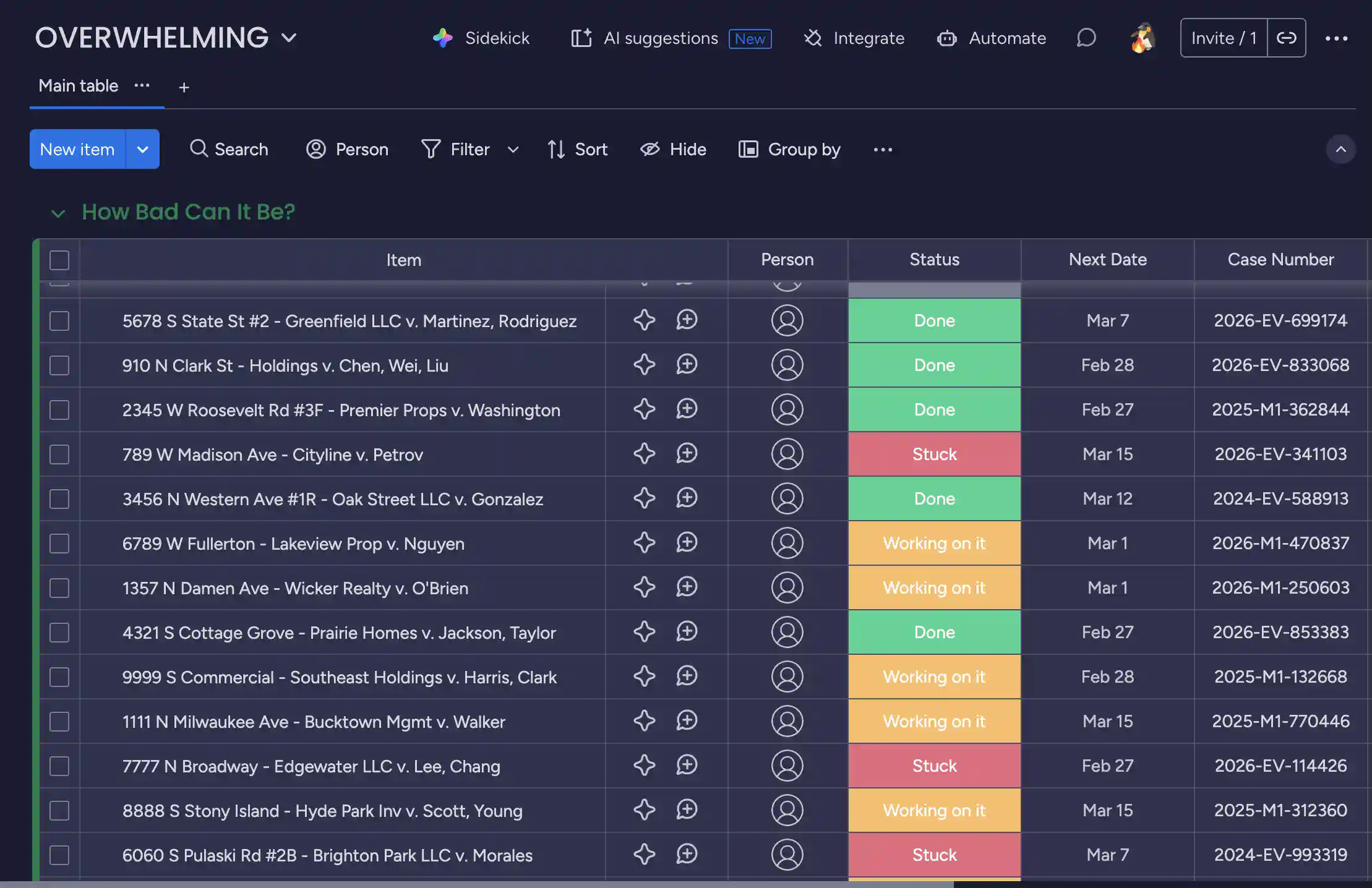 Five boards. 150+ cases. Every morning.
 What we built
An automated morning briefing that queries every active case across the firm's case management boards, processes dates and tags and statuses, generates a formatted HTML email, and delivers it at 6 AM Central. Before anyone in the office is awake.
We also built a companion system: a task dictation pipeline where the attorney speaks tasks into an encrypted chat portal throughout the day, and they get compiled, matched to cases, and emailed to the paralegal team at 5:30 PM.
The whole thing runs on a self-hosted n8n instance on a private European VPS. No per-message fees. No Zapier operation limits. No client data touching third-party servers.
The morning email: four sections, zero guesswork
The briefing lands in the inbox with four sections that cover everything the attorney needs to know before the day starts.
Today's deadlines
Every item across all five case management boards that has any date column matching today. Court appearances, filing deadlines, response due dates. These are the fires. If it's due today and it's tracked in the system, it shows up here. No scanning. No cross-referencing. No "did I miss something."
This week's SPECIAL and TRIAL tags
Eviction courts in Cook County use "SPECIAL" settings (where a judge actually hears arguments) and "TRIAL" dates. These get tagged on case management items and the briefing scans the current week, Monday through Sunday, surfacing anything flagged. This is the "prepare for these" section. You see them days in advance, with time to actually prepare.
7-day lookahead
Everything with a date in the next seven days, sorted chronologically and grouped by day. The "what's coming" section. No surprises on Monday morning because something was due Tuesday and nobody checked.
Daily SEO task
A rotating library of 31 substantive, one-hour SEO tasks specific to the firm's practice area and website recovery strategy. Content creation, technical fixes, link building, competitive analysis. One task per day, cycling monthly. Each task includes the exact keyword to target, the word count, the specific statute to reference, and the page to link to.
How the system works
The workflow has four nodes running in sequence on the n8n automation platform.
Schedule Trigger
Fires at 6:00 AM Central, every day. The n8n instance timezone is set to America/Chicago, so daylight saving transitions are handled automatically.
Build Query
Constructs a GraphQL query that pulls items from all five case management boards in a single API call. One request returns every item with all column values: dates, tags, statuses, group names. The platform's GraphQL API is critical here. The REST API would require separate calls per board, per item, per column value. GraphQL returns 500+ items across five boards in one shot.
Build Email
This is where the logic lives. 200+ lines of JavaScript that calculates today's date in Chicago timezone (CST/CDT aware), determines work week boundaries, loops through every item on every board, checks date columns against today and the next seven days, scans tags for SPECIAL/TRIAL within the current week, selects today's SEO task from the rotating library, and renders a styled HTML email with color-coded sections.
The date handling is deliberate. The system doesn't rely on server timezone. It calculates Chicago time from UTC explicitly, because the VPS is in a European data center. Getting this wrong means deadlines show up on the wrong day. In a law practice, that's malpractice territory.
Send Email
Fires the HTML through Outlook's API using the firm's OAuth2 credentials. The email arrives formatted and color-coded, ready to scan in under 60 seconds.
{
  boards(ids: [board_1, board_2, board_3, board_4, board_5]) {
    id
    name
    columns { id, title, type }
    items_page(limit: 500) {
      items {
        id, name
        group { title }
        column_values { id, text, type, value }
      }
    }
  }
}The companion: voice-to-task pipeline
Throughout the day, the attorney dictates tasks into a self-hosted encrypted chat portal:
TASK: 2025-EV-1234, file motion to dismiss
TASK: Call tenant's attorney re: settlement
TASK: 5678 S Fake Street, file complaint 1st Municipal
A Python daemon monitors the room. When it sees the TASK prefix, it extracts the text, pulls case numbers via regex, timestamps the entry, and stores it locally. The paralegal team can also interact: TASK LIST shows all open tasks, TASK COMPLETE: 1, 3 marks them done.
At 5:30 PM, a scheduled script loads all tasks, searches the case management platform to match case numbers to board items (using both exact match on case number columns and fuzzy match on item names), and emails the paralegal team an HTML summary. Matched tasks link directly to the case record. Unmatched tasks get flagged for manual lookup.
The whole task pipeline runs on encrypted, self-hosted infrastructure with end-to-end encrypted messaging. No third-party message storage. Attorney-client privilege is built into the architecture.
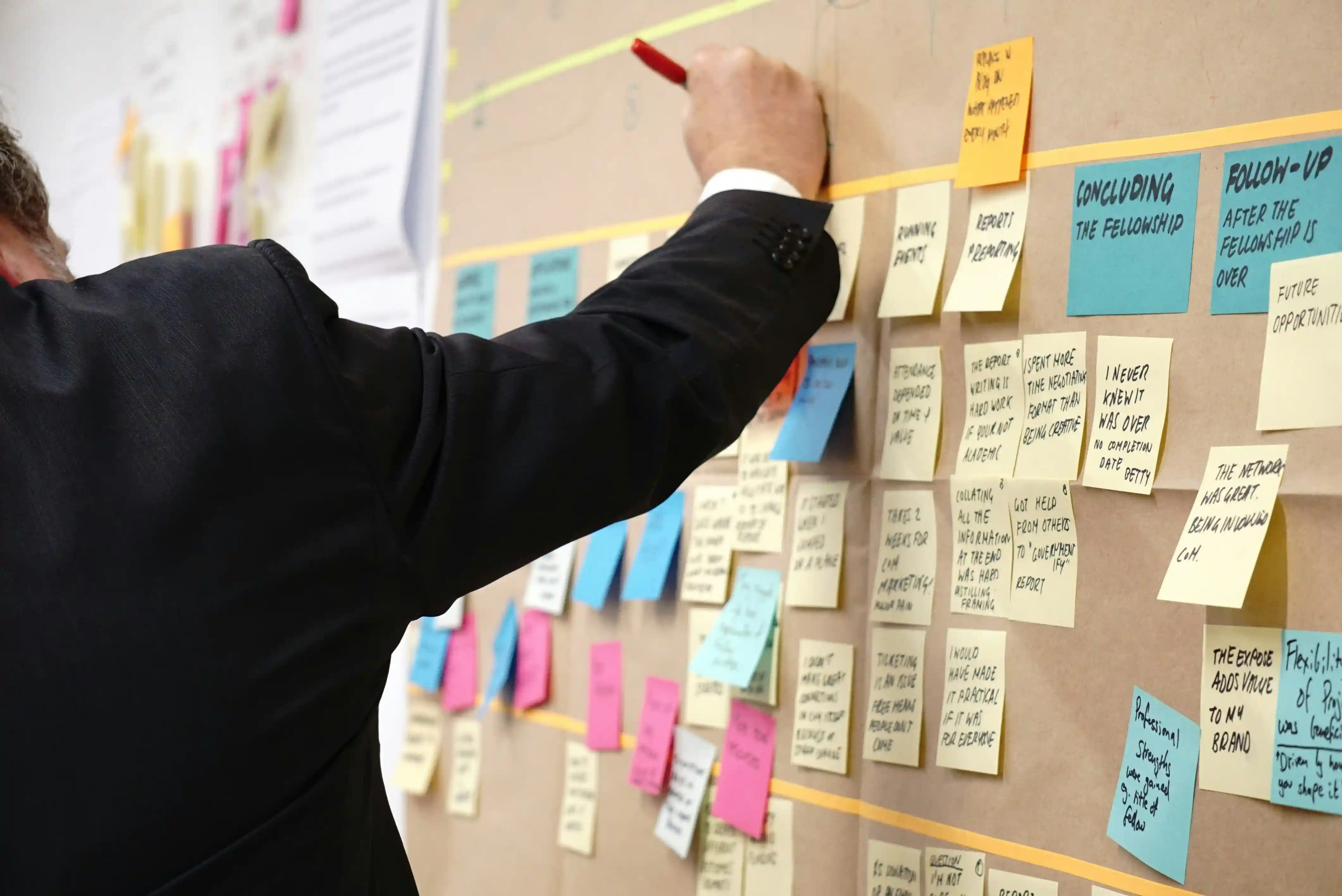 The old way. Sticky notes, scattered priorities, no audit trail.
 Why self-hosted n8n instead of Zapier or Make
Cost
The private VPS costs roughly $30/month and runs n8n, a local LLM for email classification, a database, and an AI voice agent. That's unlimited workflow executions. This particular law firm runs about 5,000 automations daily. On Zapier, that volume would cost hundreds per month in operation fees.
Control
Client data, case numbers, court dates, attorney work product. None of it touches a third-party server. The API call goes from our VPS directly to the case management platform's API. The email goes from our VPS directly to Outlook. No middleware vendor sitting in the middle with access to your data.
Flexibility
The "Build Email" node is 200+ lines of custom JavaScript. Try doing timezone-aware date math with tag scanning and HTML generation in a Zapier code step. The platform isn't built for it. n8n's code nodes run a full JavaScript runtime with no execution time limits on self-hosted instances.
Why we build workflows as code
Most automation platforms give you a visual drag-and-drop editor. That works fine for simple workflows. When your logic gets complex (200+ lines of date math, tag scanning, and email formatting), editing inside a browser window becomes a liability.
We write the workflow logic as code files on our end, then push the finished product to n8n automatically. This means every change is tracked, every version is saved, and we can roll back if something breaks. When we hand the system over to the client, they get a clean codebase they fully own and control.
Results
30+ minutes of manual board scanning, replaced by reading one email. Every morning. Automatically.
Every case with a date on any of the five boards appears in the briefing, every time.
The attorney reviews the briefing, dictates tasks into the encrypted chat portal, and a background process automatically extracts those tasks, matches them to case records, and compiles a formatted assignment email. By 5:30 PM the paralegal team has a linked, organized task list.
About 6 minutes of monthly billing for the VPS, shared with other automations including an AI voice agent and email classifier.
Build a basic version yourself
Everything below works with n8n (self-hosted or cloud), any project management tool that exposes a read API, and an email account. The patterns are portable. If you use Monday.com, Asana, ClickUp, Notion, or anything with an API, you can adapt this.
What you need
The 4-node workflow
The entire workflow is four nodes connected in a straight line. No branching. No error handling. Get this working first, then add complexity.
Node 01: Schedule Trigger. In n8n, add a Schedule Trigger node. Set it to fire once daily at whatever time you want the email. Set the timezone to your local timezone in the n8n settings (Settings → General → Timezone), not in the node itself.
Node 02: HTTP Request. This calls your project management tool's API. Most platforms support REST; some (like Monday.com) use GraphQL. The goal is to pull all your active items with their dates, statuses, and tags in a single API call. Here's a Monday.com example:
Method: POST
URL: https://api.monday.com/v2
Headers:
  Content-Type: application/json
  Authorization: Bearer YOUR_API_KEY

Body (JSON):
{
  "query": "{
    boards(ids: [YOUR_BOARD_IDS]) {
      name
      items_page(limit: 500) {
        items {
          name
          column_values { id text type }
        }
      }
    }
  }"
}
For Asana, ClickUp, or Notion, the call is different but the idea is the same: one request, all your items, all their metadata. Check your platform's API docs for the equivalent batch endpoint.
Node 03: Code Node. This is where the logic lives. Add a Code node (JavaScript) and paste the following. This is the core date-matching pattern, simplified:
// Get your timezone right. This matters.
// If your n8n server is in a different timezone than you,
// you MUST calculate local time from UTC explicitly.

const now = new Date();
const YOUR_UTC_OFFSET = -5; // EST. Use -6 for CST, -7 for MST, etc.
const utcMs = now.getTime() + (now.getTimezoneOffset() * 60000);
const localNow = new Date(utcMs + (YOUR_UTC_OFFSET * 3600000));
const todayStr = localNow.toISOString().split('T')[0]; // "2026-02-27"

// Calculate 7-day lookahead window
const lookahead = new Date(localNow);
lookahead.setDate(localNow.getDate() + 7);
const lookaheadStr = lookahead.toISOString().split('T')[0];

// Parse the API response from the previous node
// Adjust this path based on your platform's response shape
const apiData = $input.first().json;
const boards = apiData.data?.boards || [];

const todayItems = [];
const upcomingItems = [];

for (const board of boards) {
  for (const item of board.items_page?.items || []) {
    // Find all date-type column values
    for (const col of item.column_values) {
      if (!col.text || col.text.length < 10) continue;
      const dateStr = col.text.substring(0, 10);

      // Check if valid YYYY-MM-DD format
      if (!/^\d{4}-\d{2}-\d{2}$/.test(dateStr)) continue;

      if (dateStr === todayStr) {
        todayItems.push({
          name: item.name,
          board: board.name
        });
      }

      if (dateStr > todayStr && dateStr <= lookaheadStr) {
        upcomingItems.push({
          name: item.name,
          board: board.name,
          date: dateStr
        });
      }
    }
  }
}

// Sort upcoming by date
upcomingItems.sort((a, b) => a.date.localeCompare(b.date));

// Build a simple HTML email
const dayNames = ['Sun','Mon','Tue','Wed','Thu','Fri','Sat'];
const displayDate = localNow.toLocaleDateString('en-US', {
  weekday: 'long', year: 'numeric',
  month: 'long', day: 'numeric'
});

let html = `
<div style="font-family: sans-serif; max-width: 600px; margin: 0 auto;">
  <h1 style="color: #1e293b;">Morning Briefing</h1>
  <p style="color: #64748b;">${displayDate}</p>

  <h2 style="border-bottom: 2px solid #eab308; padding-bottom: 4px;">
    Today's Deadlines (${todayItems.length})
  </h2>
`;

if (todayItems.length === 0) {
  html += '<p style="color: #64748b;"><em>No deadlines today.</em></p>';
} else {
  for (const item of todayItems) {
    html += `<p><strong>${item.name}</strong>
      <span style="color: #94a3b8;"> · ${item.board}</span></p>`;
  }
}

html += `
  <h2 style="border-bottom: 2px solid #3b82f6; padding-bottom: 4px;">
    Next 7 Days (${upcomingItems.length})
  </h2>
`;

if (upcomingItems.length === 0) {
  html += '<p style="color: #64748b;"><em>Nothing upcoming.</em></p>';
} else {
  for (const item of upcomingItems) {
    const d = new Date(item.date + 'T12:00:00');
    const label = dayNames[d.getDay()] + ' ' +
      (d.getMonth()+1) + '/' + d.getDate();
    html += `<p><strong style="color: #3b82f6;">${label}</strong>
      ${item.name}
      <span style="color: #94a3b8;"> · ${item.board}</span></p>`;
  }
}

html += '</div>';

return [{
  json: {
    subject: 'Morning Briefing — ' + displayDate,
    html_body: html,
    today_count: todayItems.length,
    upcoming_count: upcomingItems.length
  }
}];
Node 04: Send Email. If you use Gmail, add the Gmail node and set the body to {{ $json.html_body }}. For Outlook, use the Microsoft Outlook node or an HTTP Request to the Graph API. For anything else, use the SMTP node with your mail server credentials. Set the subject to {{ $json.subject }}.
Adapt it to your setup
The code above handles two sections: today's deadlines and a 7-day lookahead. To add more, follow the same pattern: define a filter condition, loop through items, collect matches into an array, render them as HTML. Here's what you might add next:
tasks[dayOfYear % tasks.length]. Cycles through all tasks before repeating. Where this gets hard
The basic version above will work. It will pull your items, find today's dates, and send you an email. What it won't handle are the edge cases that show up in production:
Timezone math when your server isn't in your timezone. The snippet above uses a fixed UTC offset, which breaks at daylight saving transitions. The production version dynamically detects CST vs CDT.
Multi-board column mapping. Different boards use different column IDs for dates. The production version auto-detects date columns by type rather than hardcoding IDs.
The task dictation pipeline. Matching natural language task descriptions to case records across five boards using regex and fuzzy matching is a separate system entirely.
Workflow-as-code deployment. The production version is maintained as Python and JavaScript source files, version-controlled in Git, and pushed to n8n via API. Editing 200+ lines of logic inside a browser node is a fast way to introduce bugs you can't track.
If the basic 4-node version solves your problem, run it. If you need the production version with the companion task pipeline, timezone handling, multi-board tag scanning, and code-managed deployment, that's what we build.
This is what Self-Automation looks like
The morning briefing is a Self-Automation engagement. The client's own case management instance, the client's own email, the client's own infrastructure. We built it, deployed it, and the system runs without ongoing intervention.
No monthly retainer for "workflow maintenance." No per-execution fees. No vendor lock-in. The client owns the code, the server, and the workflow. If we disappeared tomorrow, the briefing would still land at 6 AM.
The client owns the automation. Completely.
This system was built by Let Computers Do It for Abdilla and Associates, a Chicagoland eviction law practice handling 150+ cases annually. The morning briefing is one component of a larger automation stack that includes AI voice agents, email classification, and invoice processing.
READY TO STOP WORKING SO HARD?
We build self-hosted automation systems for businesses that take their data seriously. No per-execution fees. No third-party data exposure. No platform lock-in.
READY TO STOP WORKING SO HARD?
We build self-hosted automation systems for businesses that take their data seriously. No per-minute fees. No third-party data exposure. Only Freedom.
BOOK A 30-MINUTE CONSULTATION →